Building chat
A building space, groups and direct chats with photos and files — and no phone numbers shown.
Dues, the building fund, maintenance, votes, guests and emergencies — for everyone in the building, and each person sees only what’s theirs. Instead of WhatsApp groups, a paper ledger and the manager’s spreadsheet.
Arabic & English · iPhone & Android
Every building asks the same questions, and usually only the manager knows the answers. myBuilding puts them in front of everyone entitled to know.
From the first day of the month to the last — this is how everything runs itself, and everyone sees their part.
Set the schedule once — monthly, weekly or yearly — and the app bills on time, reminds whoever is late, and adds a late fee if you want one.
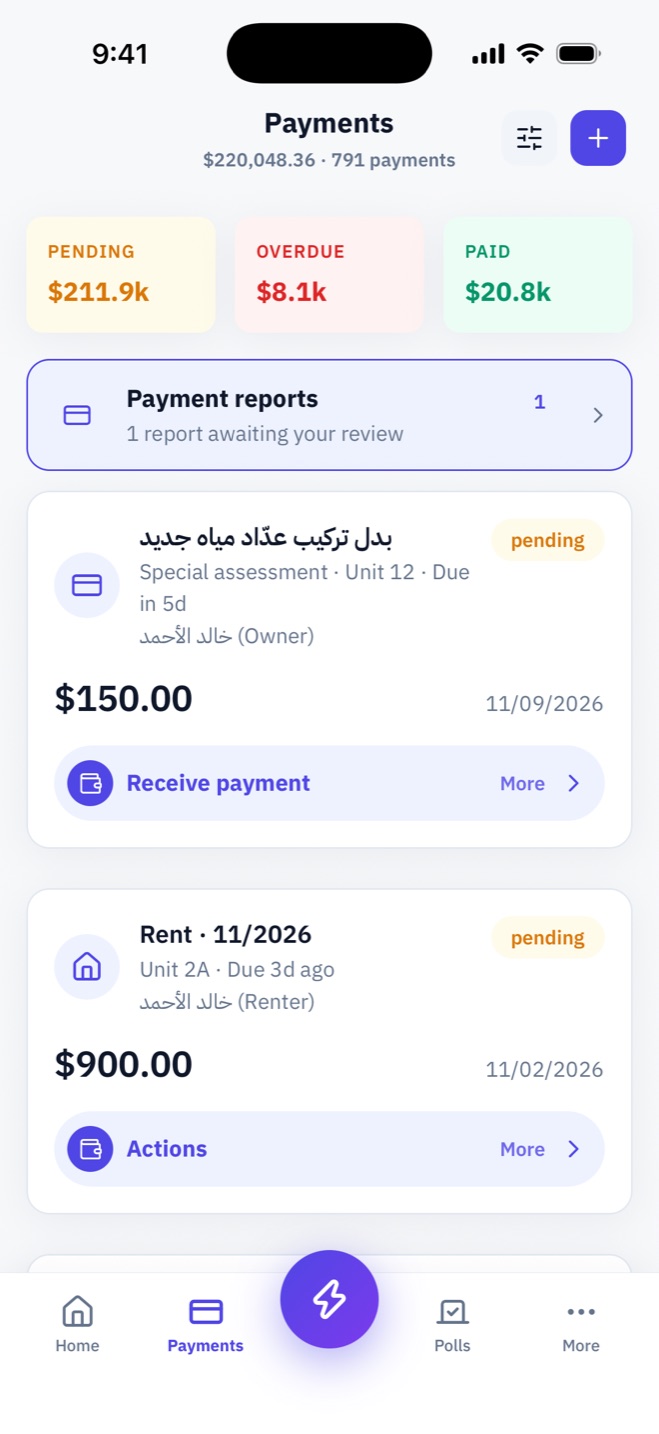
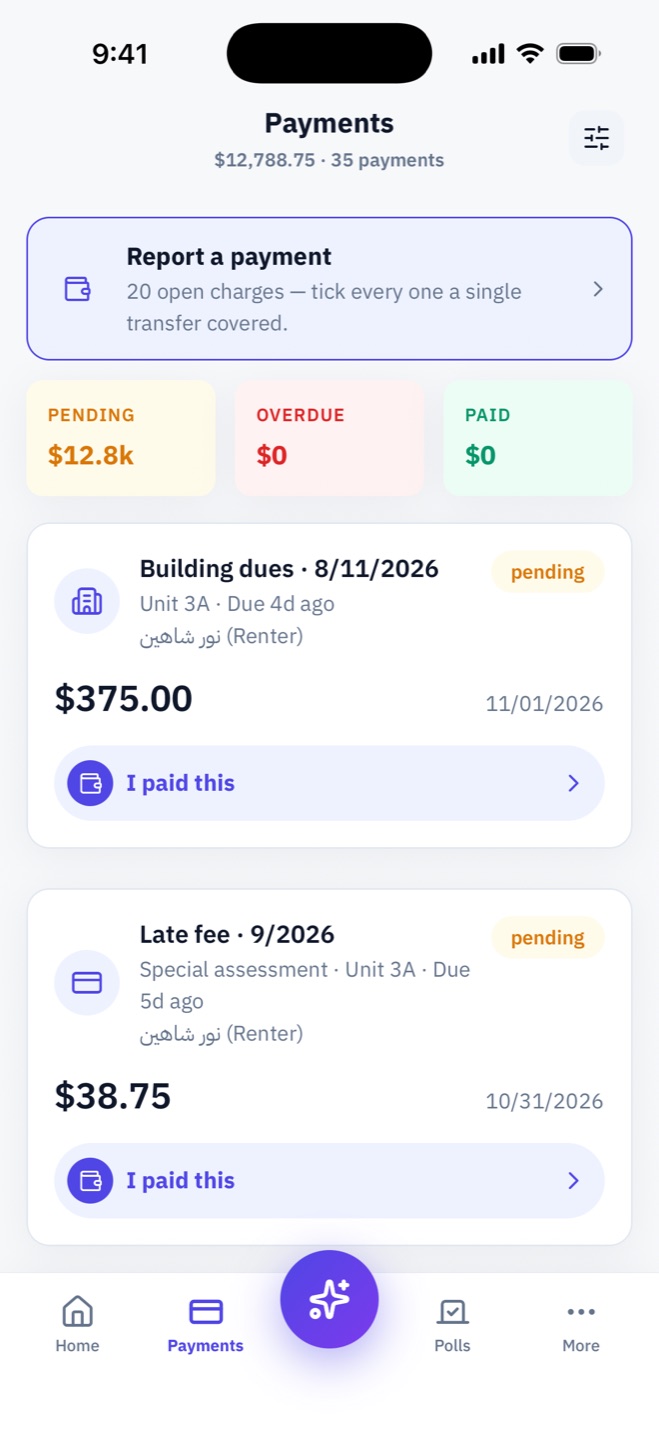
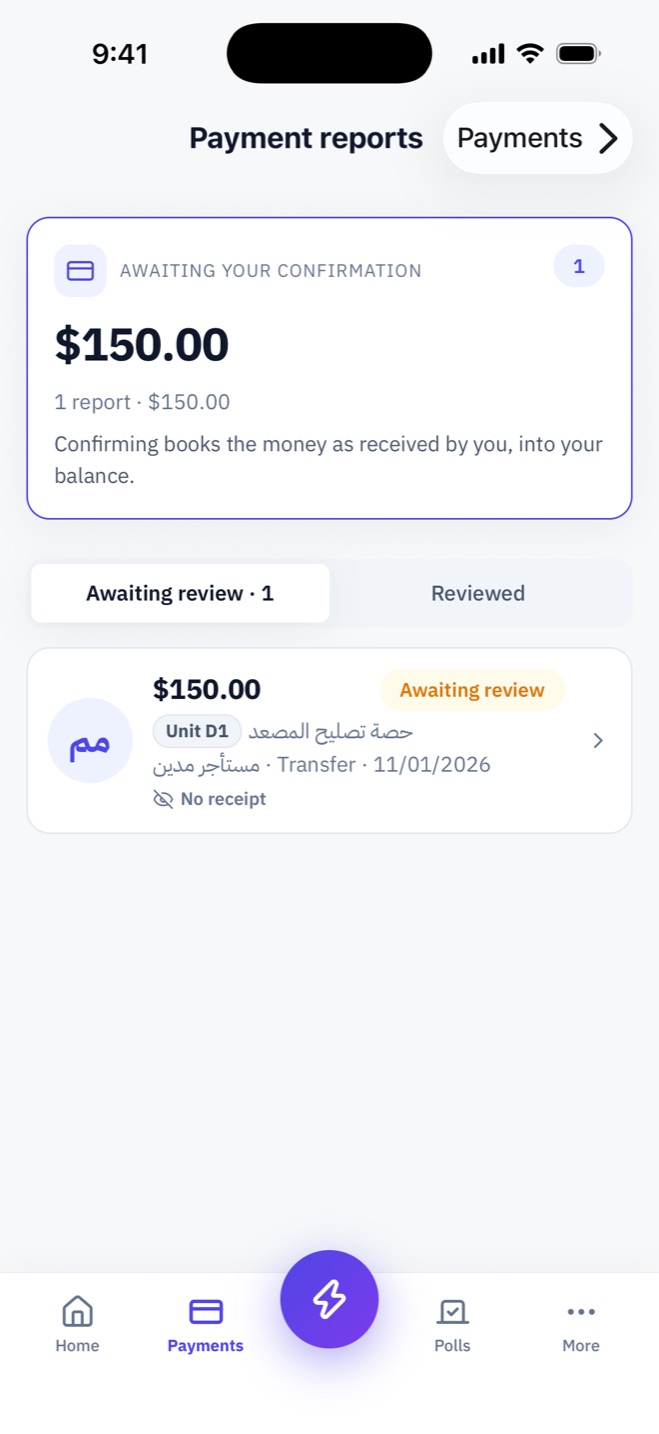
A resident reports a payment with a photo of the transfer or receipt; the treasurer confirms it, the money lands in their balance and the receipt is issued at once.
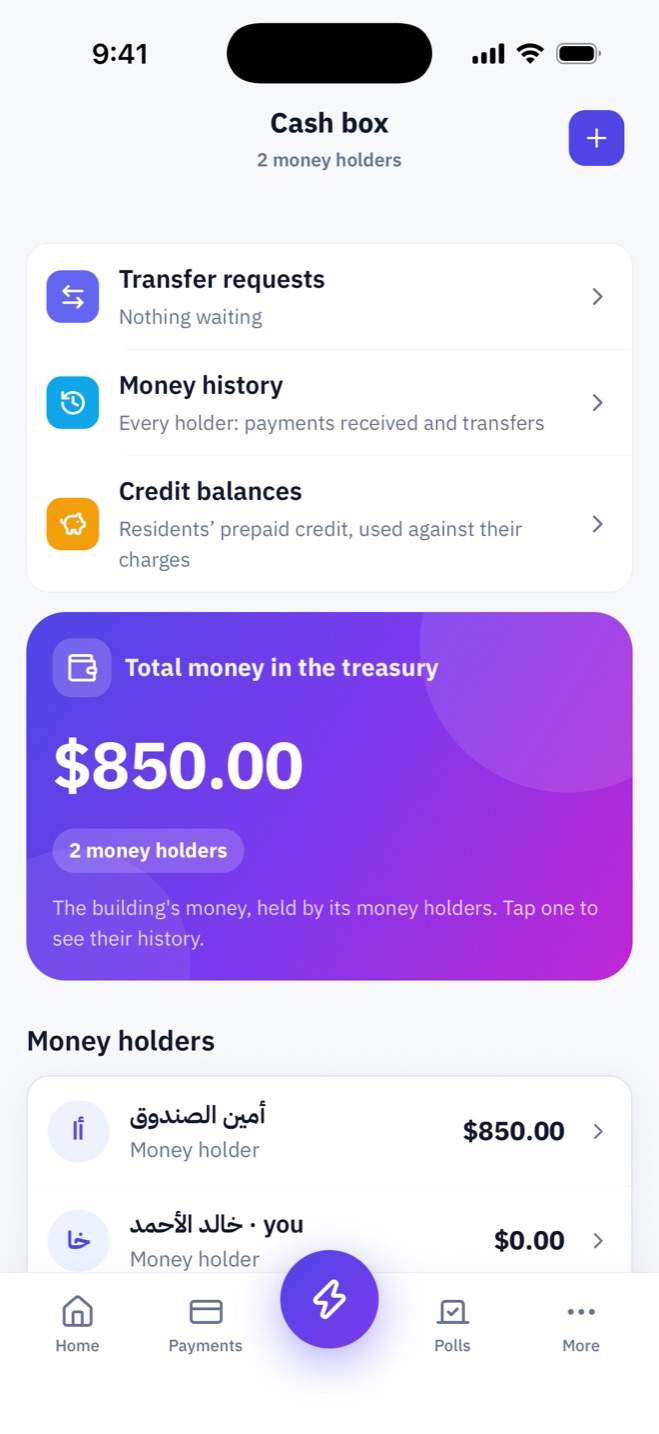
Each treasurer has their own balance: what they received and from whom, and what they handed on. A hand-over between two treasurers only happens when both confirm.
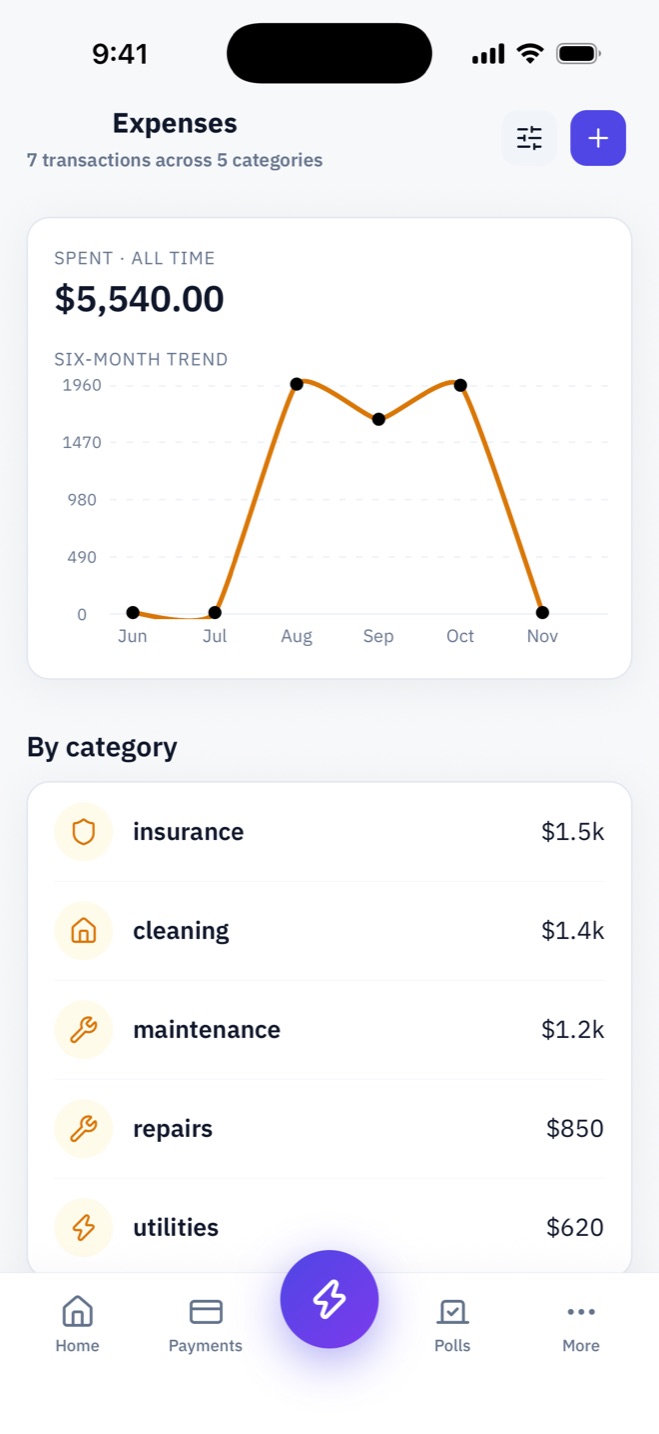
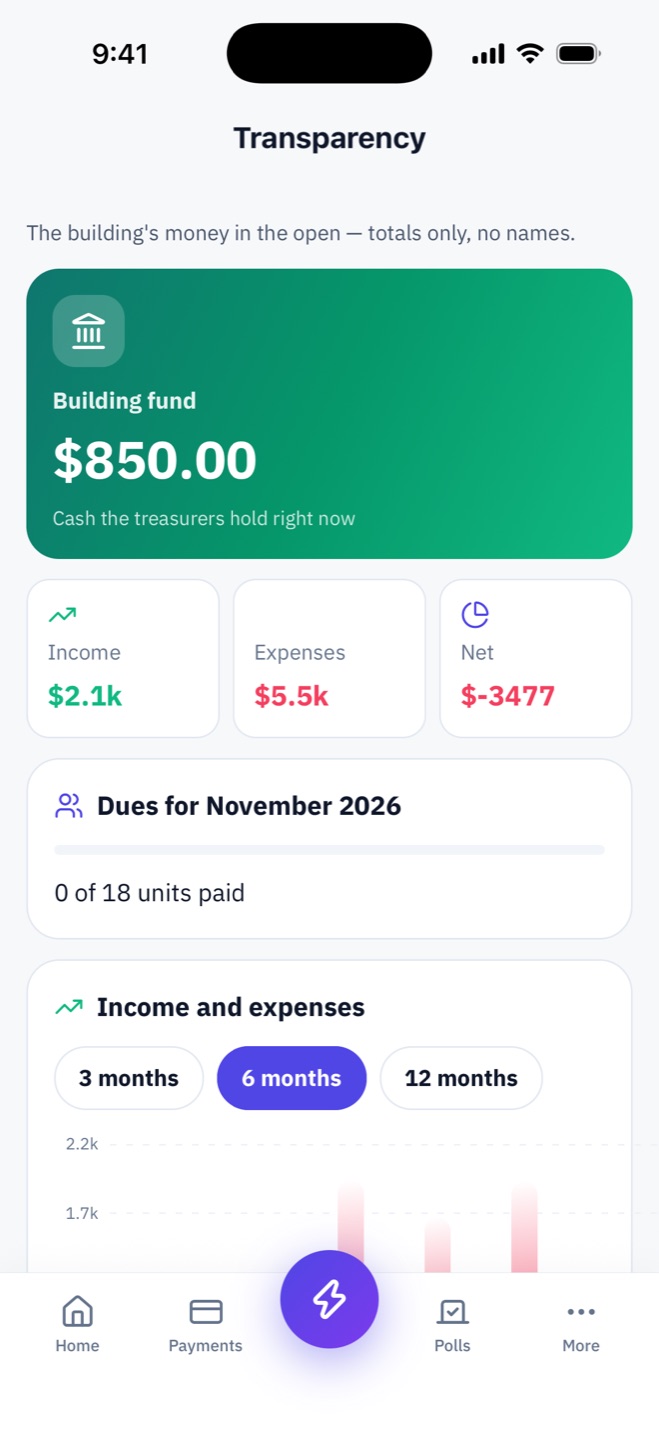
The fund balance, how many units paid this month, income and expenses month by month, and where the money went. Totals only — no names, no individual debts.
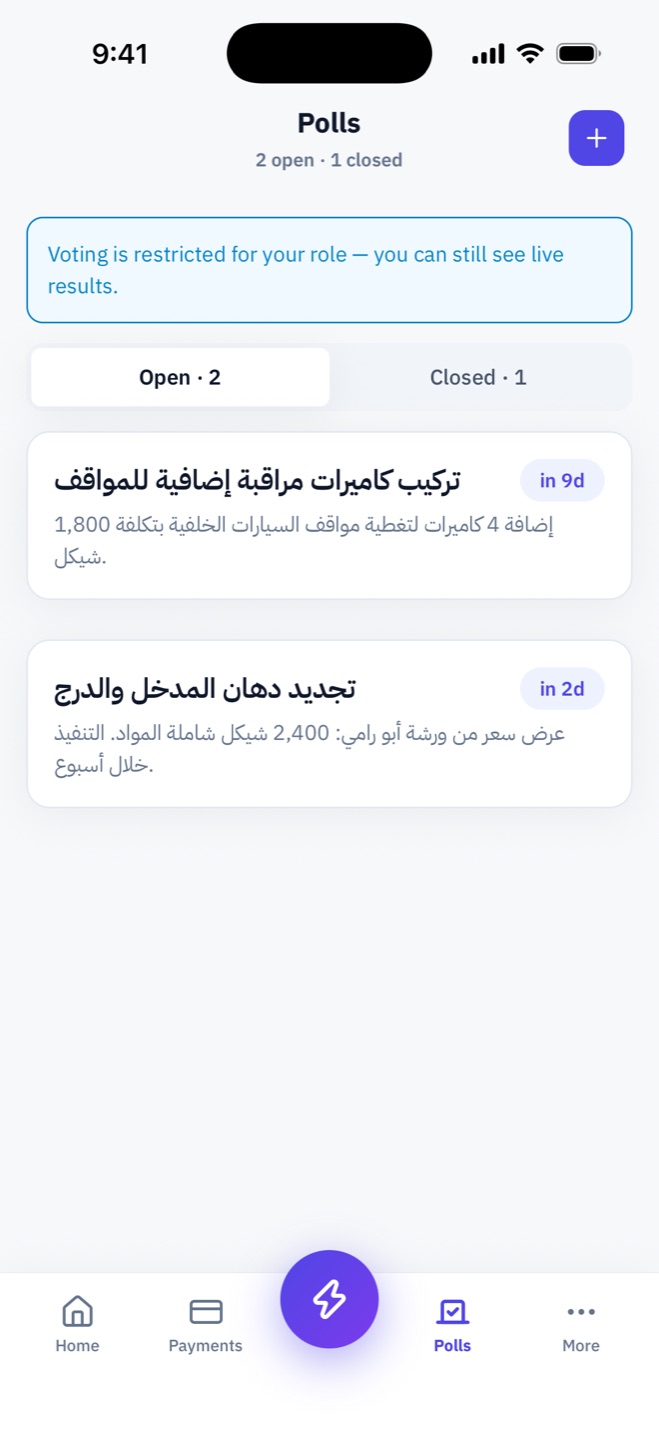
Residents report for their unit or the common areas with a category and priority, then follow it from Open to In progress to Resolved — without calling anyone.
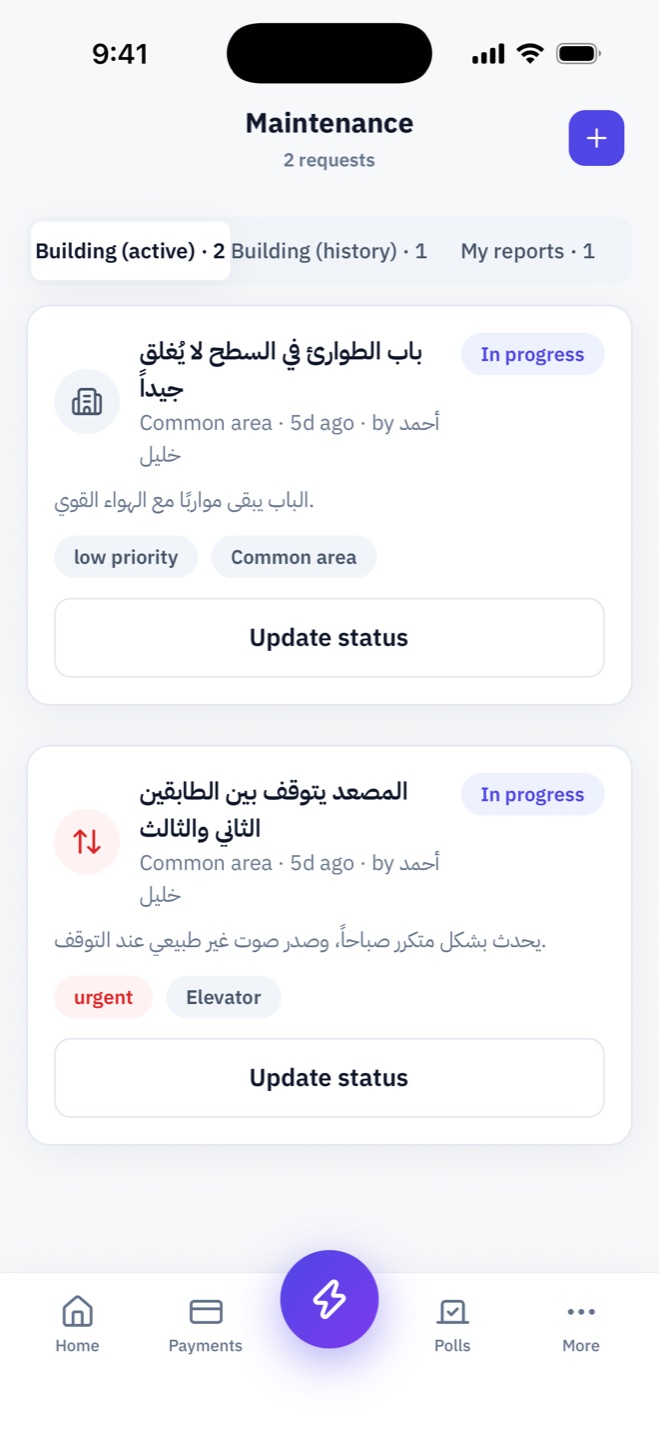
New cameras? Repaint the lobby? Open a poll, choose who votes, and everyone votes from their phone — the result is recorded for all to see.
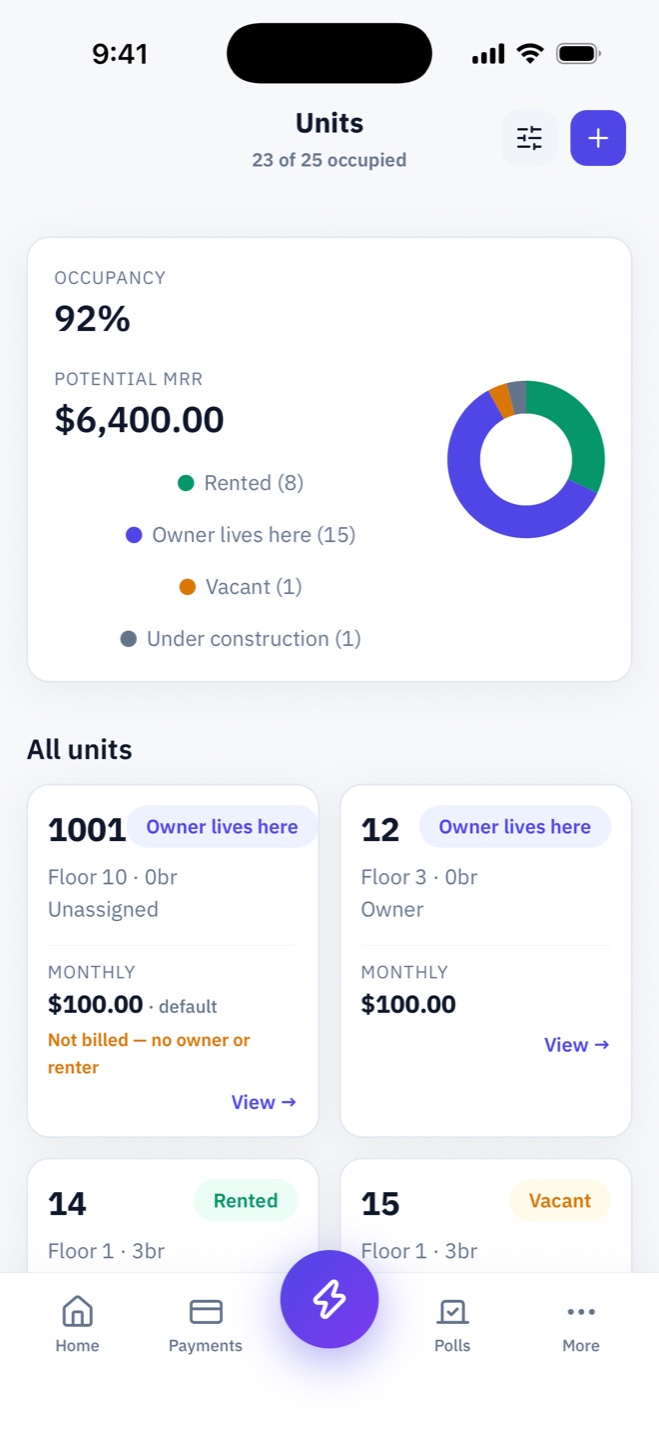
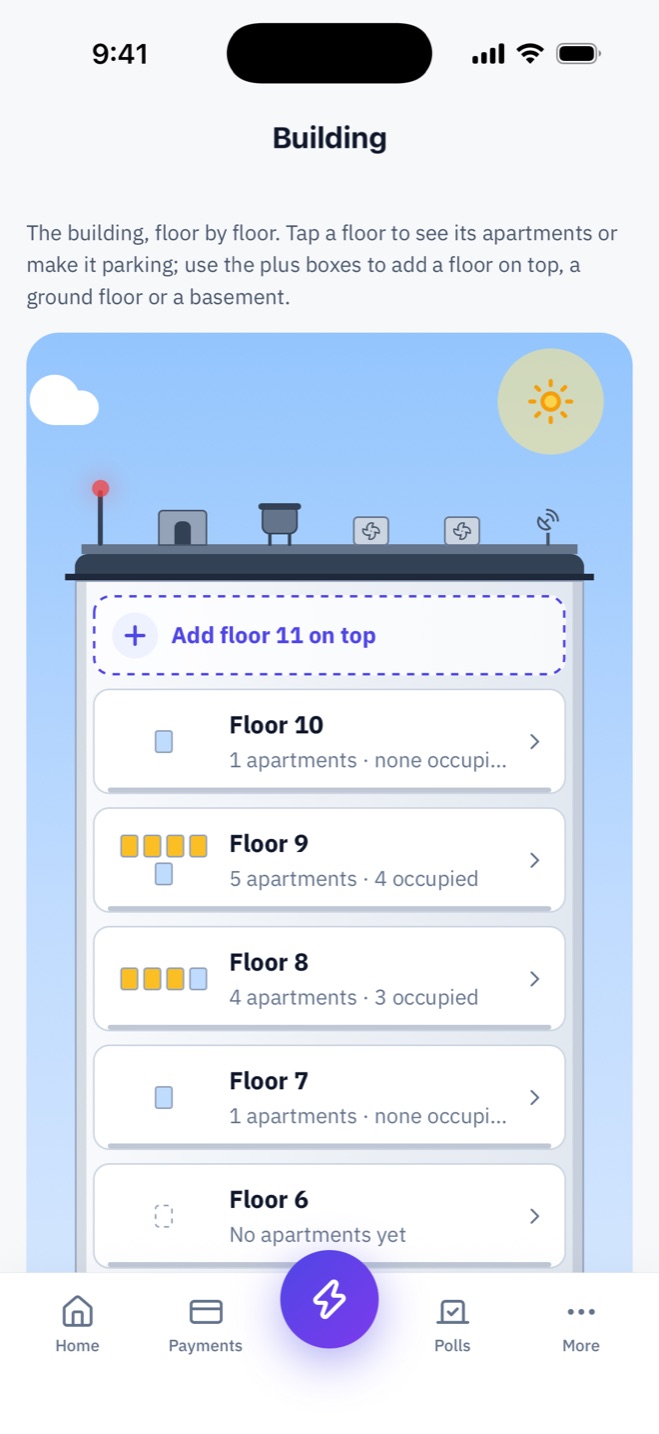
A live drawing of the building: floors, ground floor and basements, and who lives in each flat. Add a floor, or turn one into parking with numbered slots and car plates.
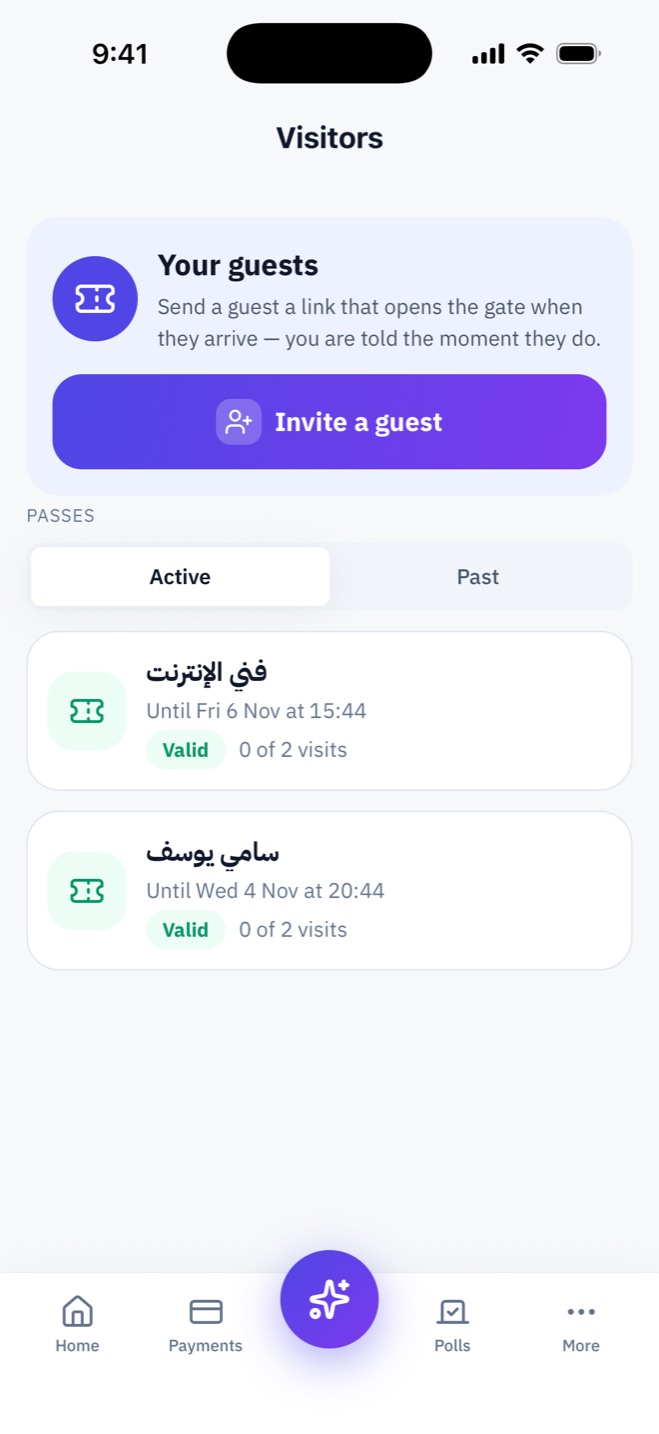
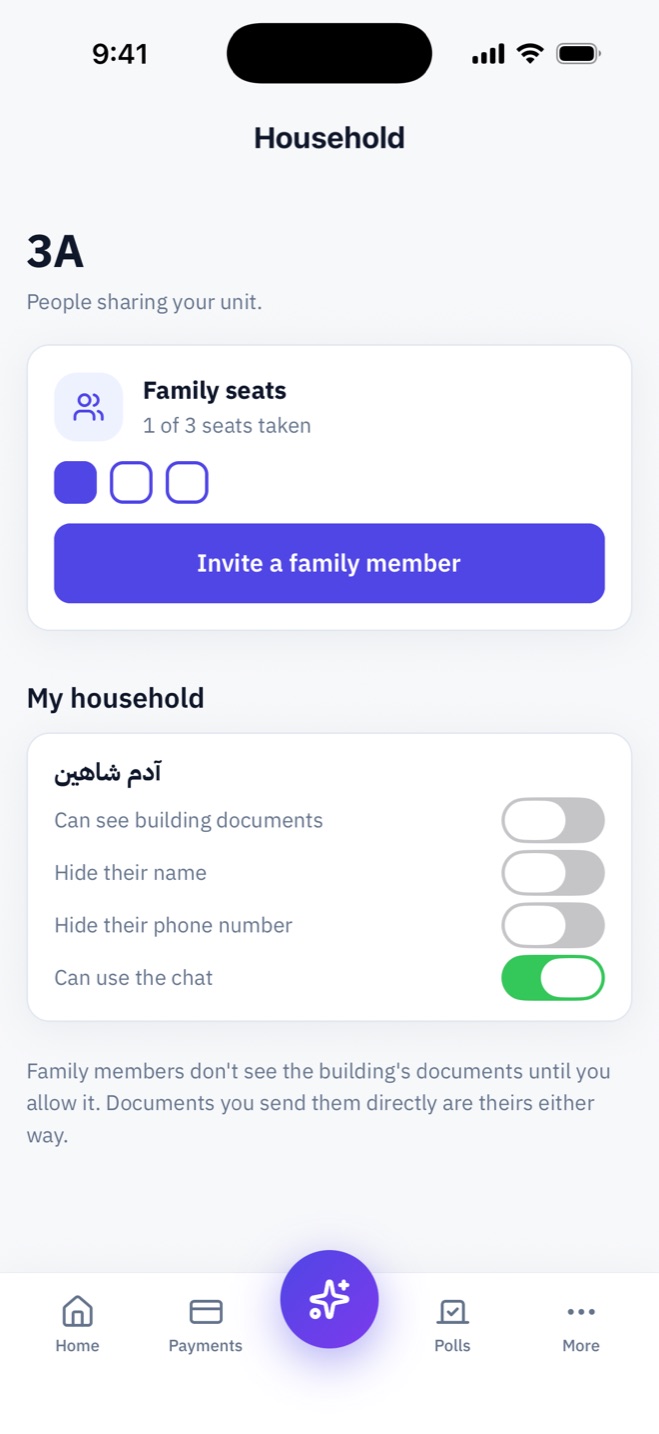
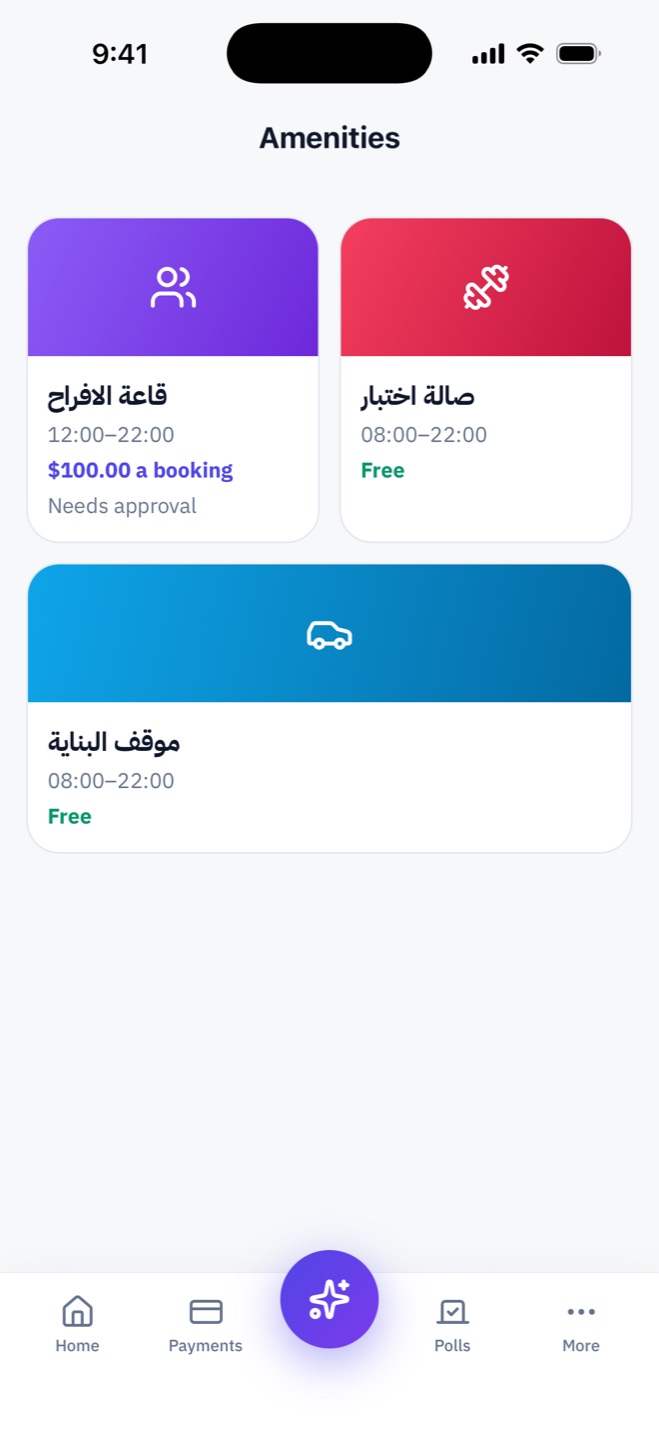
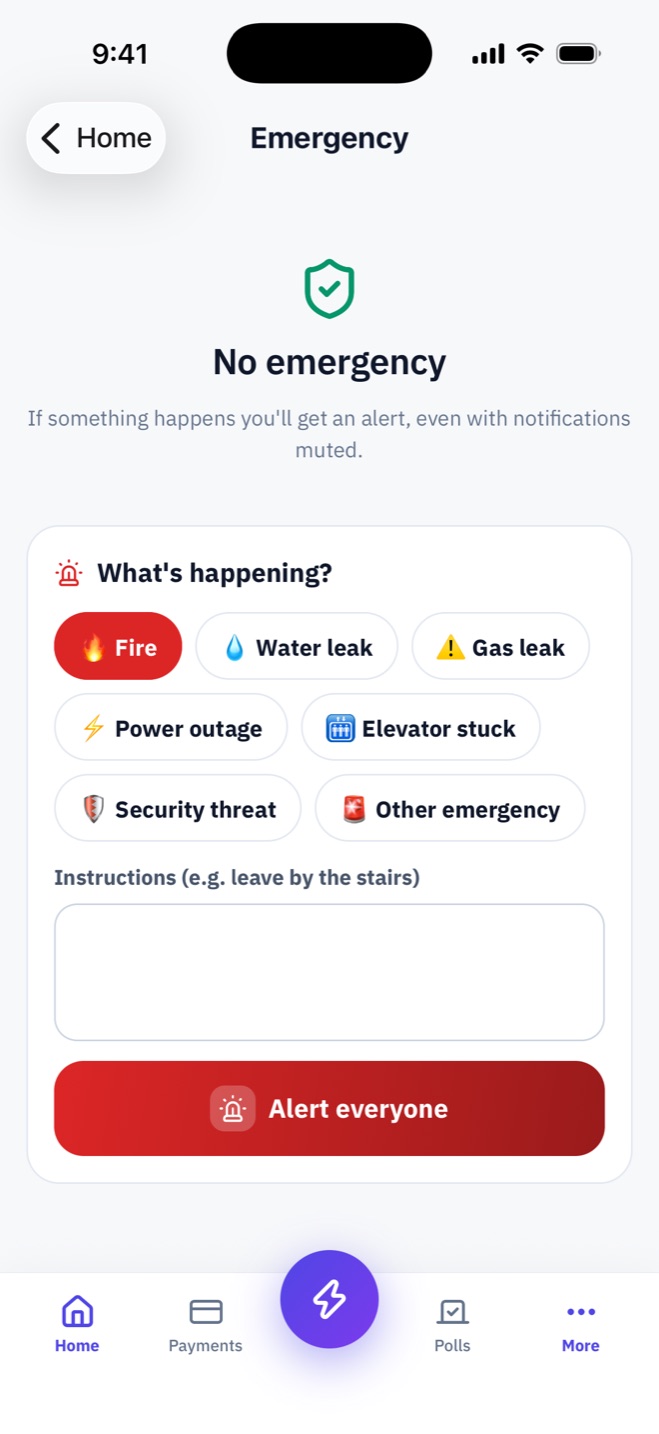
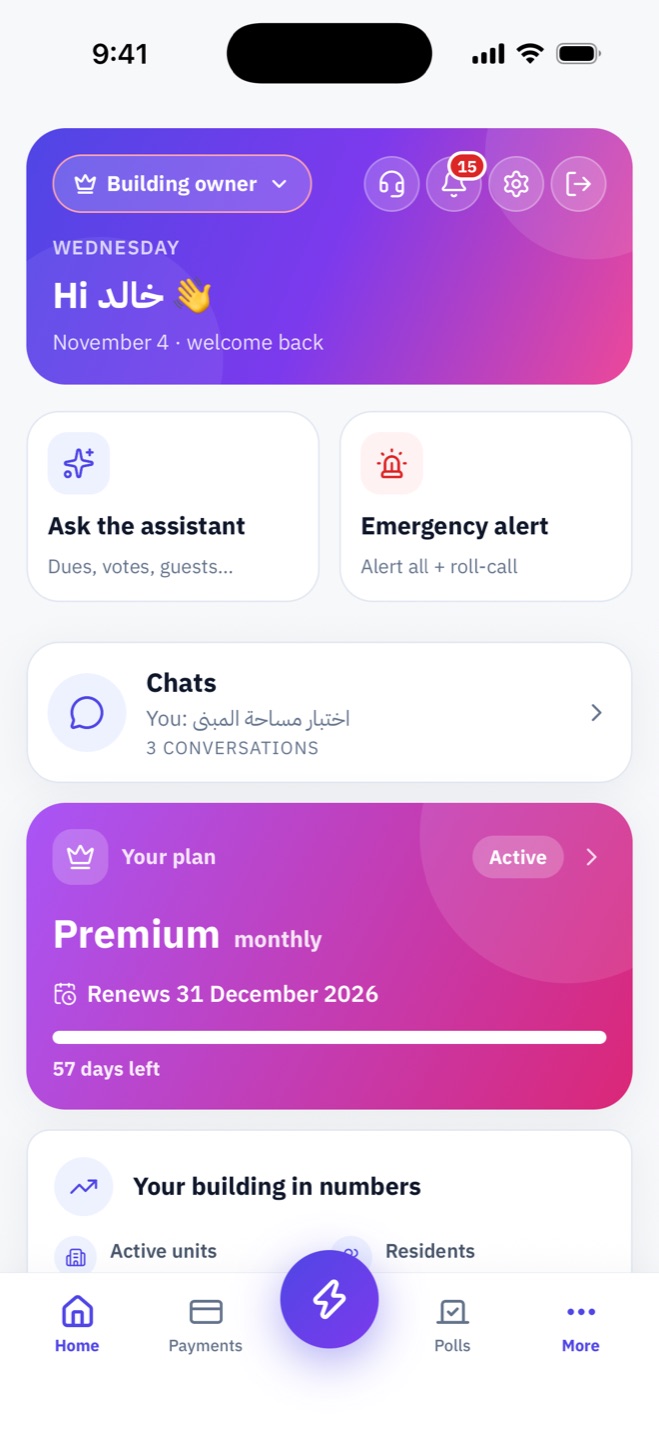
Screens from the app, as the people who use them see them.
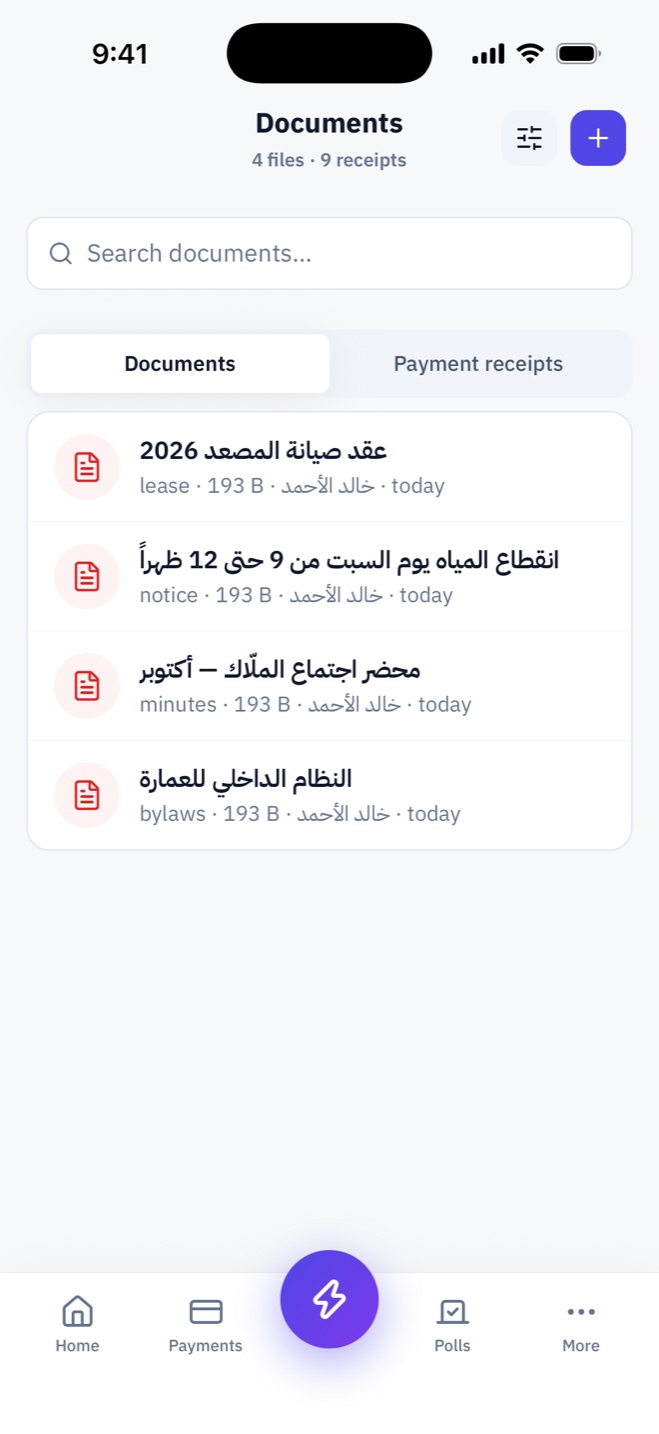
Documents: bylaws, minutes, notices and contracts
One phone-number account; every role you hold is a separate profile you switch between in a tap — management rights never leak into your resident account.
One person above everyone: manager and treasurer in one.
Runs the building day to day, without holding the money.
A money-only profile: receives, records, hands over.
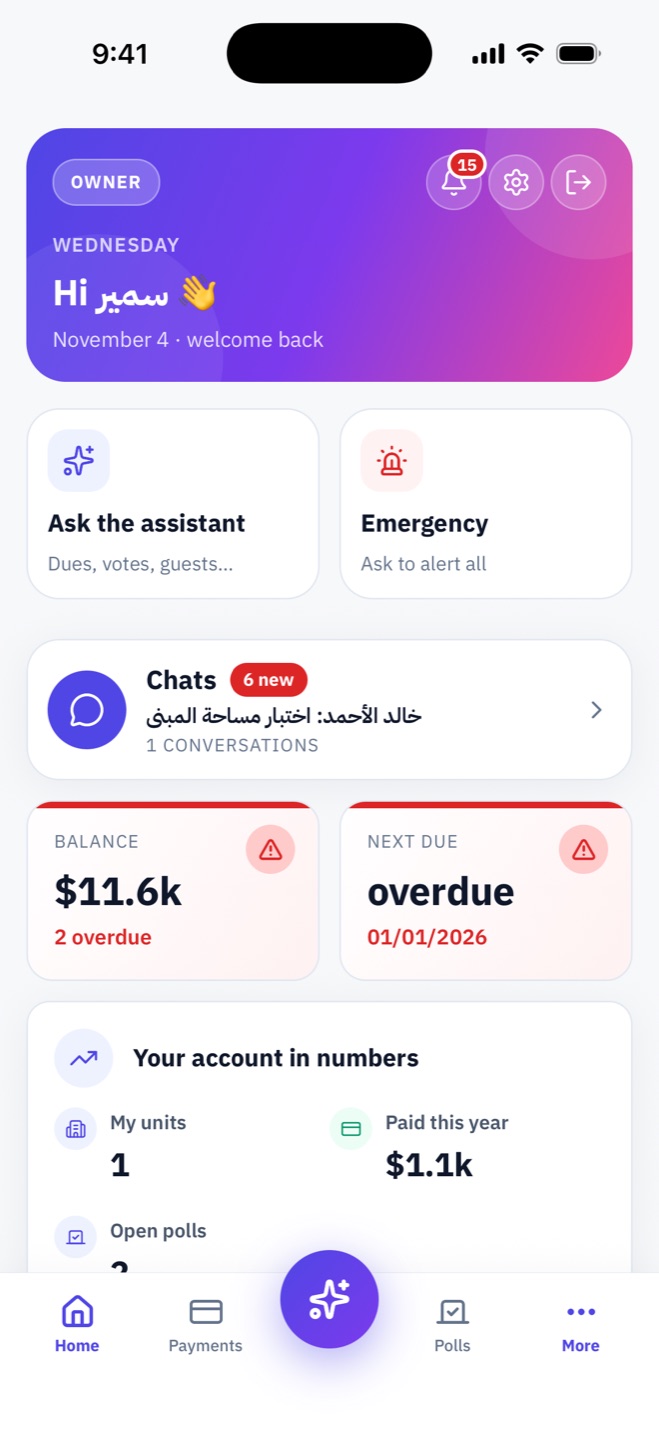
Sees their units; manages their tenants and rent themselves.
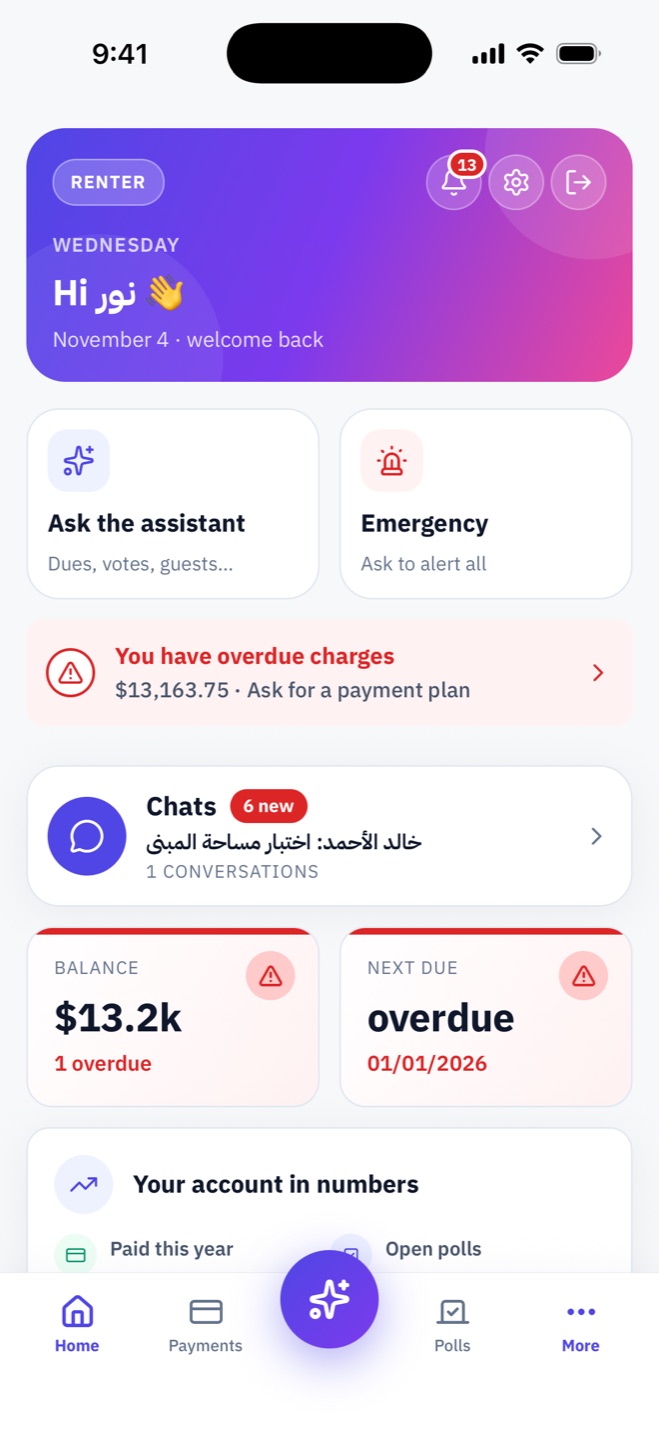
Knows what they owe, pays, reports and hosts.
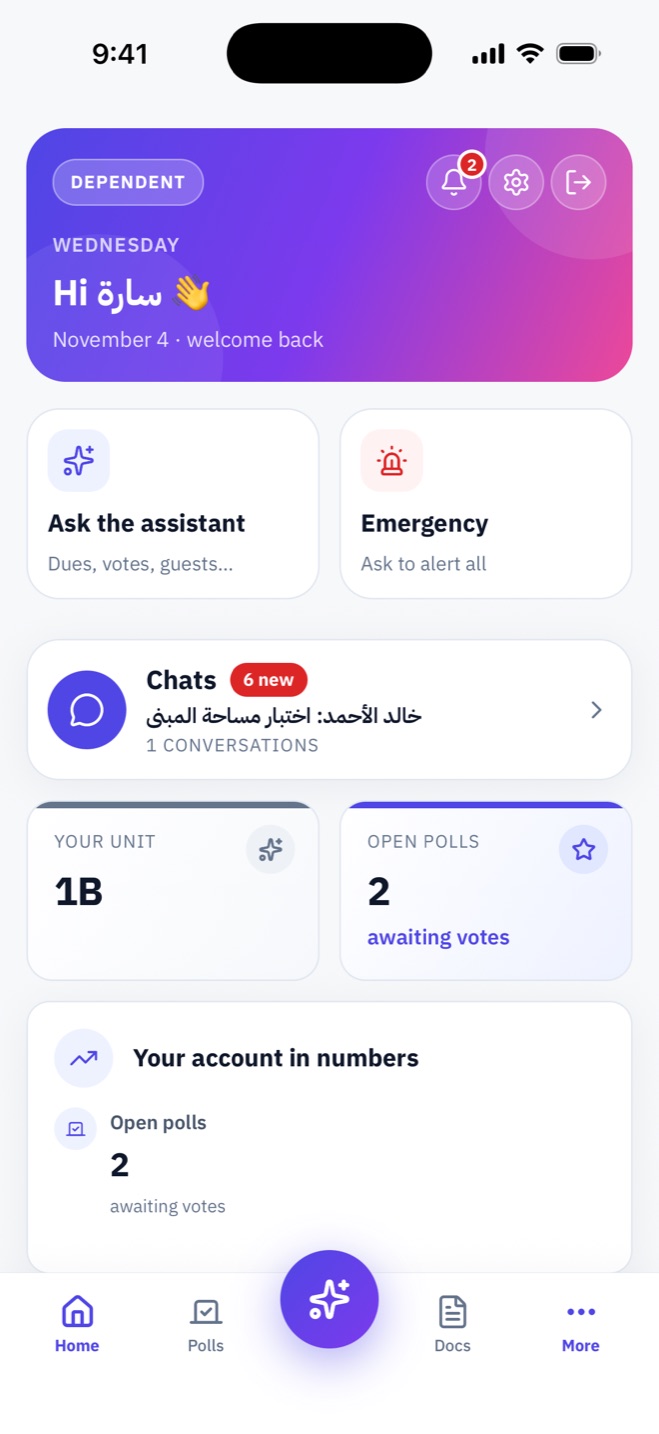
Lives in the building with no money obligations.
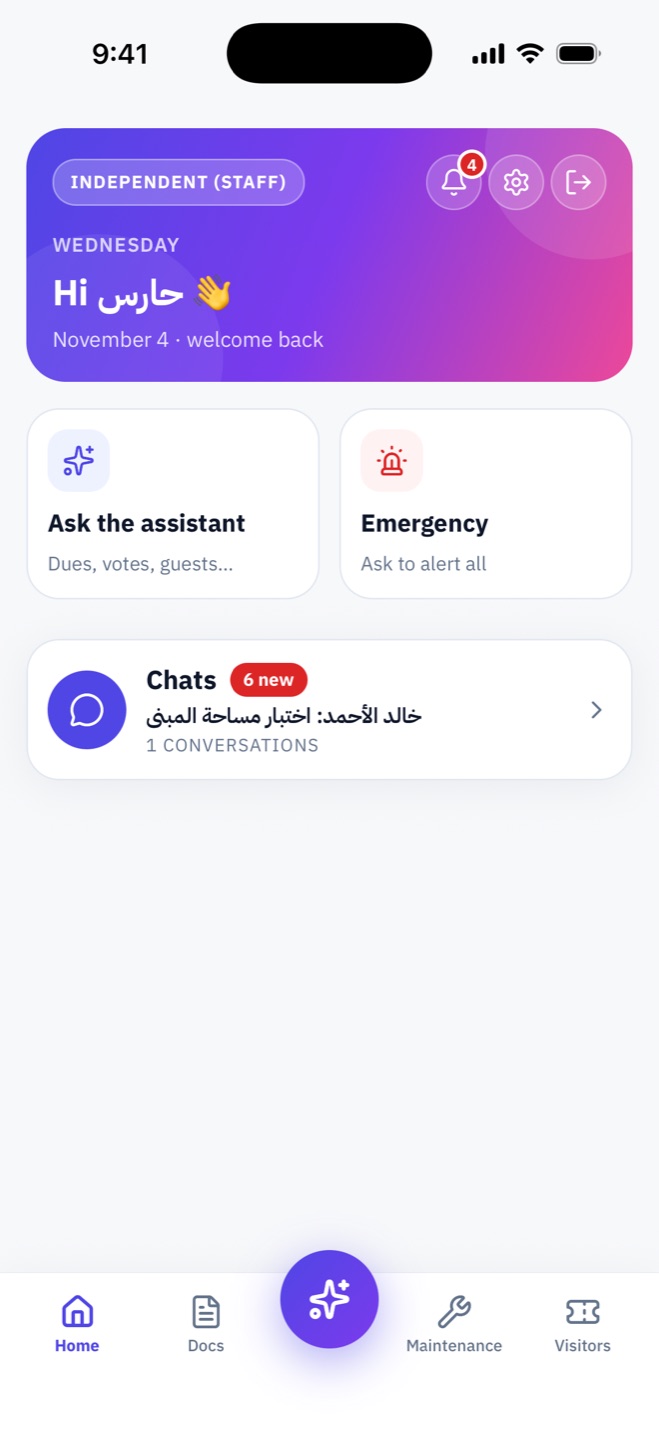
A guard or cleaner — no unit, no money.
Included on every plan unless noted.
A building space, groups and direct chats with photos and files — and no phone numbers shown.
Link the building’s number and receipts, reminders, announcements and emergencies reach residents on WhatsApp.
“What do I owe?” “When’s the vote?” — answered from the building’s records, with a button to the right screen. Managers draft announcements here.
Fire, leak or outage: an alert that reaches everyone even with notifications off, and a live “safe / needs help” roll-call.
Every PDF receipt has a QR and a text code; anyone can check it on a public page.
A link valid for as long as you choose, with a QR and 6-digit code, and a notice on arrival. (Pro & Premium)
Open from the app with rules by role, hours and arrears — wherever a controller is installed.
Book the hall or rooftop with hours, fees and approval, and a weekly cap per unit. (Pro & Premium)
A limit in months or amount, and what closes for those behind: gate, amenities, guests, voting.
Spread arrears over a down payment and instalments, approved by a manager — restrictions lift while the plan is kept.
One account for all your buildings and roles, switched in a tap.
Face ID, fingerprint or a PIN, and one signed-in device per account.
What the manager used to do by hand now happens automatically, on your building’s clock.
On each schedule’s date, applying prepaid credit first and notifying whoever pays.
After the grace period: repeated reminders in-app and on WhatsApp, plus a late fee if enabled.
Recalculated daily for every resident, closing or reopening restrictions by itself.
Polls open and close on time; payment-plan instalments get their reminders.
Not the manager, not the treasurer, not the transparency board.
They never see or owe dues, and their names can be hidden.
Chat shows names and pictures only; numbers are for management alone.
The app never holds or moves money — it’s paid outside and recorded inside.
Every new building starts with a free week of Premium — no payment method needed.
| Feature | Basic | Pro | Premium |
|---|---|---|---|
| Units | 16 | 28 | 60 |
| Residents | 30 | 60 | 150 |
| Floors | 5 | 8 | 18 |
| Family members per unit | On request | 1 | 3 |
| Dues, payments & receipts | ✓ | ✓ | ✓ |
| Fund, expenses & transparency | ✓ | ✓ | ✓ |
| Maintenance, documents & building drawing | ✓ | ✓ | ✓ |
| Chat, emergencies, assistant & WhatsApp | ✓ | ✓ | ✓ |
| Polls | — | ✓ | ✓ |
| Units, residents & household screens | — | ✓ | ✓ |
| Guests & amenities | — | ✓ | ✓ |
| Access devices | Door | Gate & door | Gate, door & elevator |
Plans are bought as a prepaid month or year for one building through the App Store or Google Play, and never auto-renew. The app shows the price in your currency before you buy. “On request”: managers can grant extra family seats.
No. myBuilding is a record-keeping tool: money is paid and received outside the app in cash or by transfer, and every amount is recorded with a receipt carrying a verification code.
A manager runs the building without receiving money; a treasurer receives and records money without changing settings; the building owner is one person who holds both and decides what managers may change.
Each role is a separate profile in your account. You switch between them in a tap, and management rights never mix with your resident account.
Only the landlord and the tenant. Not the building manager, not the treasurer, not the transparency board — and it never counts toward building arrears.
In cash or by transfer as usual; then either the treasurer records it, or the resident sends an “I paid” report with a photo of the proof for the treasurer to confirm.
Every new building gets one free week of Premium without entering any payment method. Afterwards the building manager picks a plan.
No. You buy a prepaid month or year that ends on the date shown; managers are reminded a week, three days and a day before. Extend any time.
The building is paused but nothing is deleted. The manager can download a copy of the building’s data, and everything comes back the moment a new term is bought.
Yes — once a controller for the gate, door or elevator is installed and paired, with rules for who may open it and when.
Yes. One account covers all your buildings; each has its own plan, and one store account can pay for several.
Arabic and English in full, with a right-to-left layout for Arabic, plus light and dark themes.

Download myBuilding today and try it free for a full week.